
5 Workflows Every Small Business Should Have Running
The five automations that quietly run the best small businesses - speed-to-lead, FAQ auto-reply, client onboarding, voicemail drop follow-up, and list reactivation. Free workflow pack you can import in one click.
Why these 5 workflows matter
Most small business owners are doing the work of three people. The fastest way out usually is not hiring - it is wiring up the handful of workflows that handle the repetitive stuff every day, without you.
These are five real, working automations. You import them, swap in your own message copy, and turn them on. No theory, no course to buy.
Workflow 1 - Fast 5 Lite (speed-to-lead)
Category: Local Business Automations
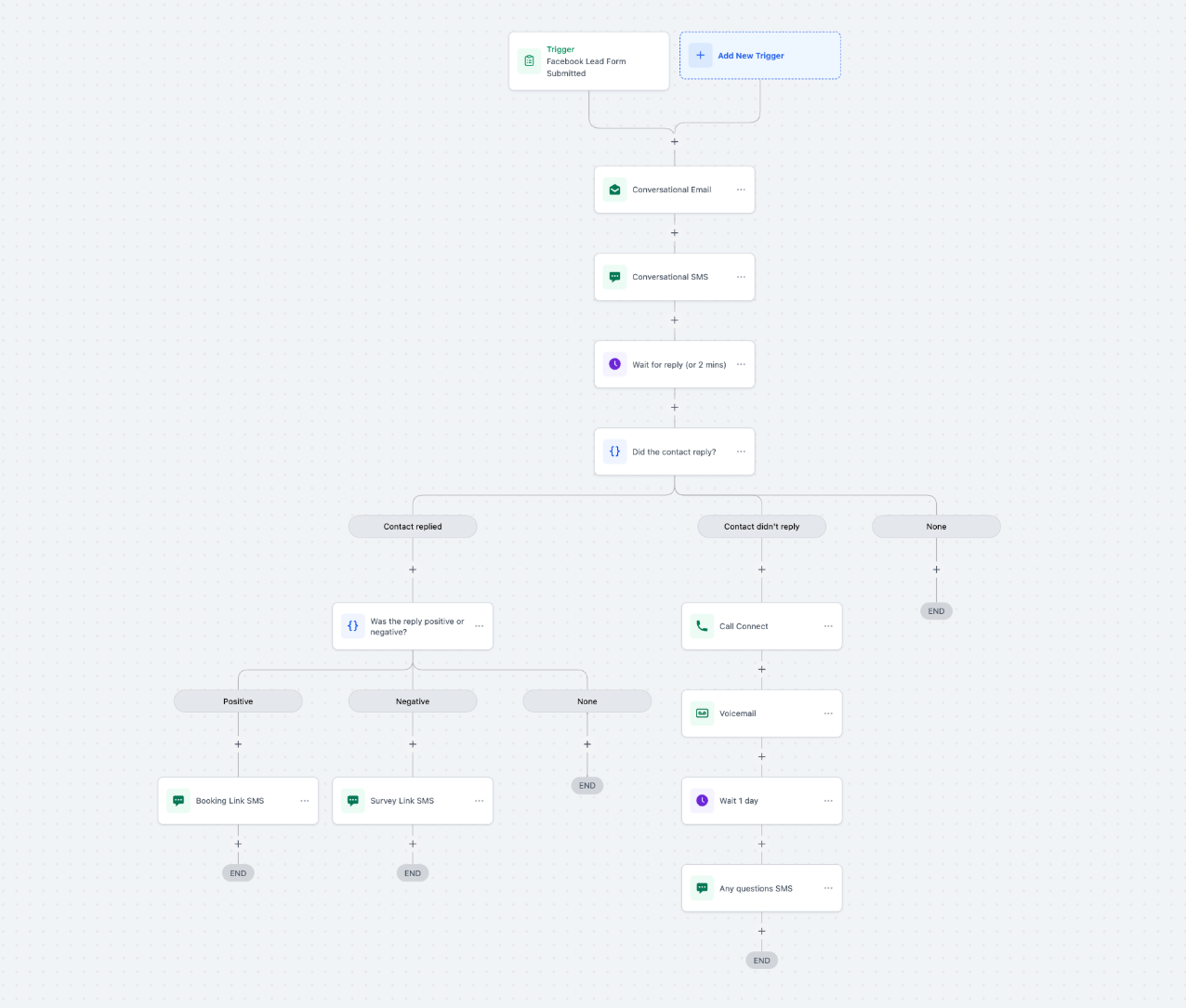
The lead fills out your Facebook lead form and hears back before they have closed the tab.
- Trigger: Facebook Lead Form Submitted
- Conversational Email, then Conversational SMS, then Wait for reply (or 2 minutes)
- If they replied: branch on positive vs negative intent - positive gets a Booking Link SMS, negative gets a Survey Link SMS
- If they did not reply: Call Connect, then Voicemail, then Wait 1 day, then an "any questions?" SMS
Workflow 2 - FAQ Auto Reply
Category: Content & Engagement
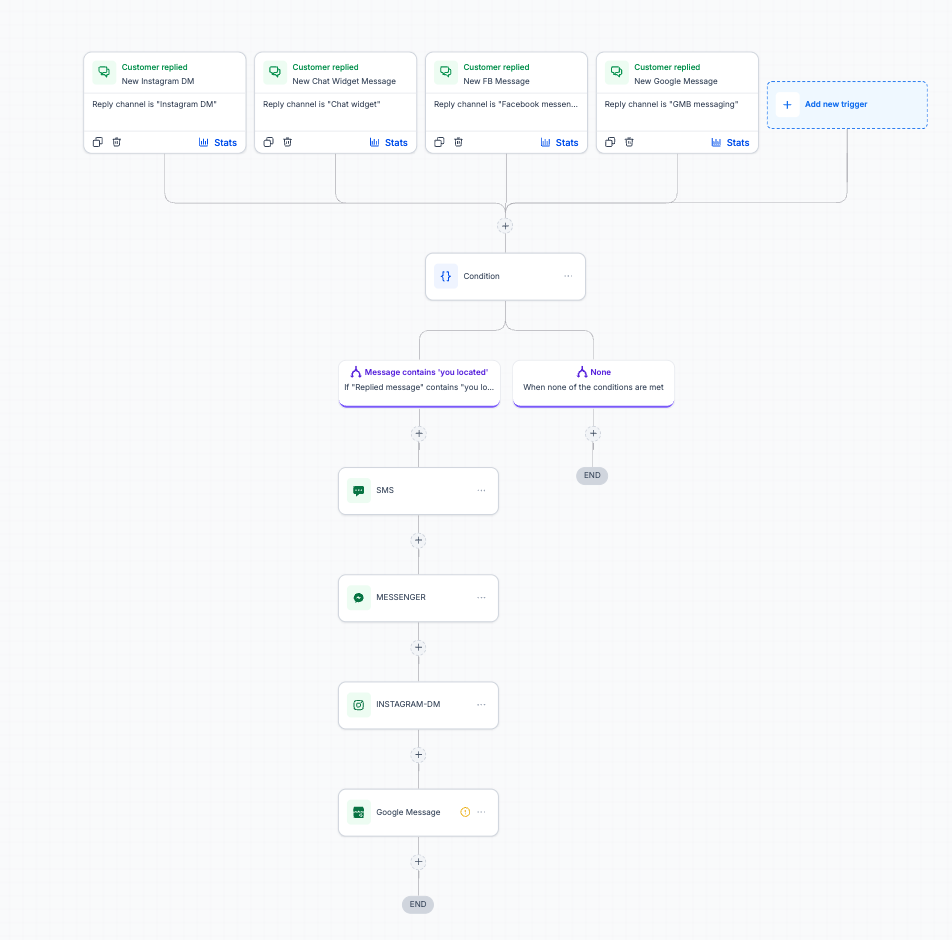
One reply engine for every inbox you own, so DMs never sit unanswered overnight.
- Triggers: new Instagram DM, chat widget message, Facebook message, or Google Business message
- Condition: does the message contain a common question (for example "are you located...")
- Sends the matching answer back on the same channel - SMS, Messenger, Instagram DM, or Google Message
- Anything that does not match falls through to a human instead of guessing
Workflow 3 - Client Onboarding Workflow
Category: Industry Specific
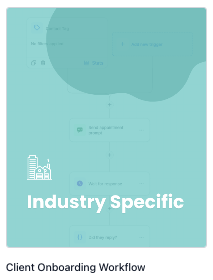
Every new client gets the same clean first week, whether you remember it or not.
- Trigger: new contact created with the tag "new client added"
- Send Welcome Email, then Send Welcome SMS
- Task #1 Send contract for signing
- Task #2 Set up client sub-account
- Task #3 Schedule kickoff call
- Task #4 Create reporting dashboard
- Adds the contact to your Client Onboarding pipeline so nothing stalls silently
Workflow 4 - Voicemail Drop Follow-Up
Category: Lead Generation & Nurturing
A voicemail on its own gets ignored. A voicemail plus a text five minutes later gets answered.
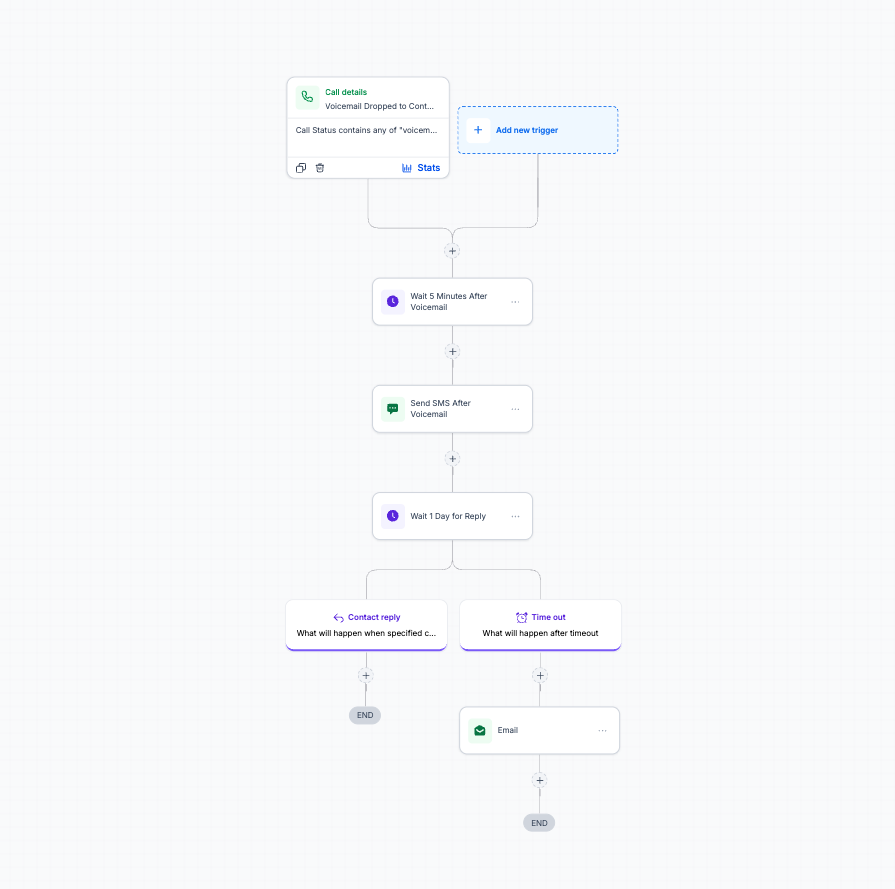
- Trigger: call status contains "voicemail dropped"
- Wait 5 minutes after the voicemail, then send an SMS referencing it
- Wait 1 day for a reply
- If they reply: the workflow ends and the conversation goes to you
- If it times out: one follow-up email, then stop - no pestering
Workflow 5 - List Reactivation
Category: Lead Generation & Nurturing
The cheapest leads you will ever get are the ones already sitting in your database.
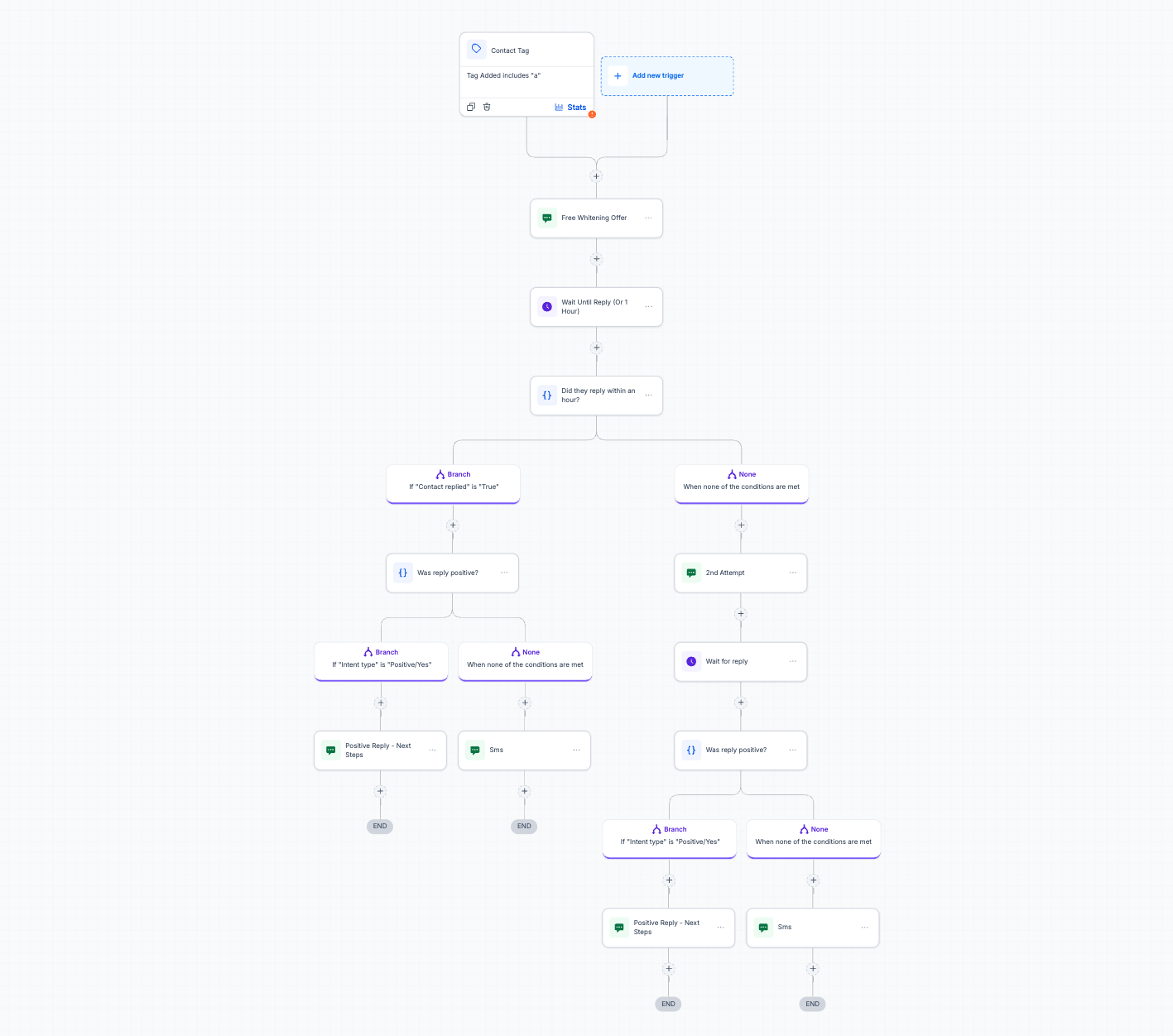
- Trigger: contact tag added (your reactivation tag)
- Sends the offer by SMS, then waits up to 1 hour for a reply
- Replied: positive intent gets next steps, everything else gets a soft reply
- No reply: a second attempt goes out, then the same positive / not-positive branch runs again
- Built with a dental whitening offer as the example - swap the offer text for your own
How to import them
Click the button, create or log into your GoHighLevel account, and the workflow pack loads straight into your sub-account. From there you edit the message copy, connect your calendar and phone number, and publish.
If you get stuck on any of the five, text me at (817) 587-3671 and I will walk you through it.
Send it to my inbox.
Drop your email and we'll fire off the guide - plus the Monday newsletter if you want it.
No spam. Unsubscribe anytime.